Godot, FuncGodot and Trenchbroom
Useful links
https://func-godot.github.io/func_godot_docs/FuncGodot Manual/FuncGodot Manual.html
Project structure
This is an example, and should be adapted for the need of every projects and teams.
GodotGame/
├───raw_assets/                           # .blend / .krita / .aseprite ...
├───src/                                  # The actual godot folder
│   ├───addons/
│   │   └───func_godot/
│   ├───entities/                         # One folder per entity
│   │   ├───player/
|   │   │   ├───player.gd                 # Godot script
|   │   │   └───player.tscn               # Godot scene file
│   │   ├───door_entity/
|   │   |   ├───door_entity.gd            # Godot script
|   │   |   ├───door_entity.tres          # FuncGodotFGDBaseClass Resource
|   │   |   └───door_entity.tscn          # Godot scene file
│   │   └───fdg.tres                      # FuncGodotFGDFile Resource
|	├───maps/                             # Trenchbroom & Godot Scene map files
│   │   ├───level1/
|   │   │   ├───level1.tscn               # Godot scene file
|   │   │   ├───level1_map_settings.tres  # Optional FuncGodotMapSettings Resource
|   │   │   └───level1.map                # Trenchbroom map file
│   │   └───func_godot_map_settings.tres  # Global FuncGodotMapSettings Resource
│   ├───scripts/                          # Non-entity scripts
│   ├───models/                           # Exported game models in .glb format
│   ├───textures/                         # Textures
│   └───config.tres                       # TrenchBroomGameConfig Resource
└───trenchbroom/                          # FuncGodot's "Map Editor Game Path"
    └───models/                           # Exported models, added to .gitignore
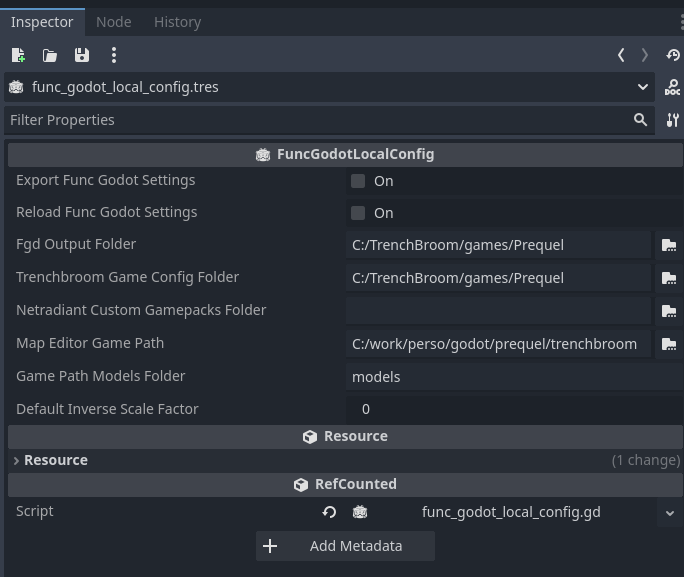
TrenchBroomGameConfig Resource
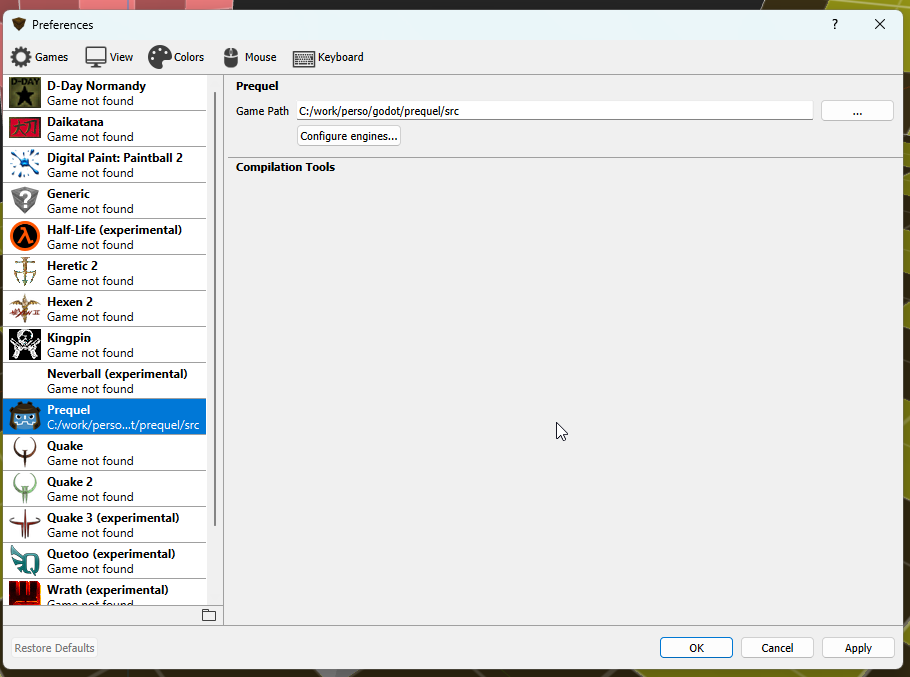
Trenchbroom Settings
Don't forget to set the game path in TrenchBroom's Settings
3D models workflow
Ar the moment, my 3D models workflow is not optimal.
- Create the model in blender, with the materials
- Export the model as an glb to Godot
- Create a Godot scene, with the model in it, rotate it to face the correct direction
- Create an entity resource using the model
- Export the entities library
- Reload the entities in trenchbroom
In my own engine, I think I would to create a blender plugin, so I can generate the entity definition from blender, automatically if there is no script attached (Like for a prosp), and adding the script name and the properties if it's a more advanced entity.
One of the tool I will work on next week, will be a Godot tool that can generate all the props entities from a model subfolder.
- Scan the prosp folder
- For each model found:
- Generate a Godot inherited scene from a template scene
- Add the model to it
- Save the scene
- Create an entity resource from a template
- Add the created scene to the resources
- Add the resource to a Props sub FDG
- Export the props sub FDG
- Export the main FDG (if needed)
With this tool at least, the props workflow will be fine, and as there will be less interactive entities, I believe this would be enough for this game.